iPhone & iPad · Free 7-day trial
The Ultimate Jump Rope Counter App in 2026
Jump Rope Counter — Cardio turns your iPhone into a rep counter for jump rope workouts. Prop up your phone, step back and jump — the front camera counts every rep in real time. No sensors, no wearables, no tapping.

Features
-
Counting without touching anything
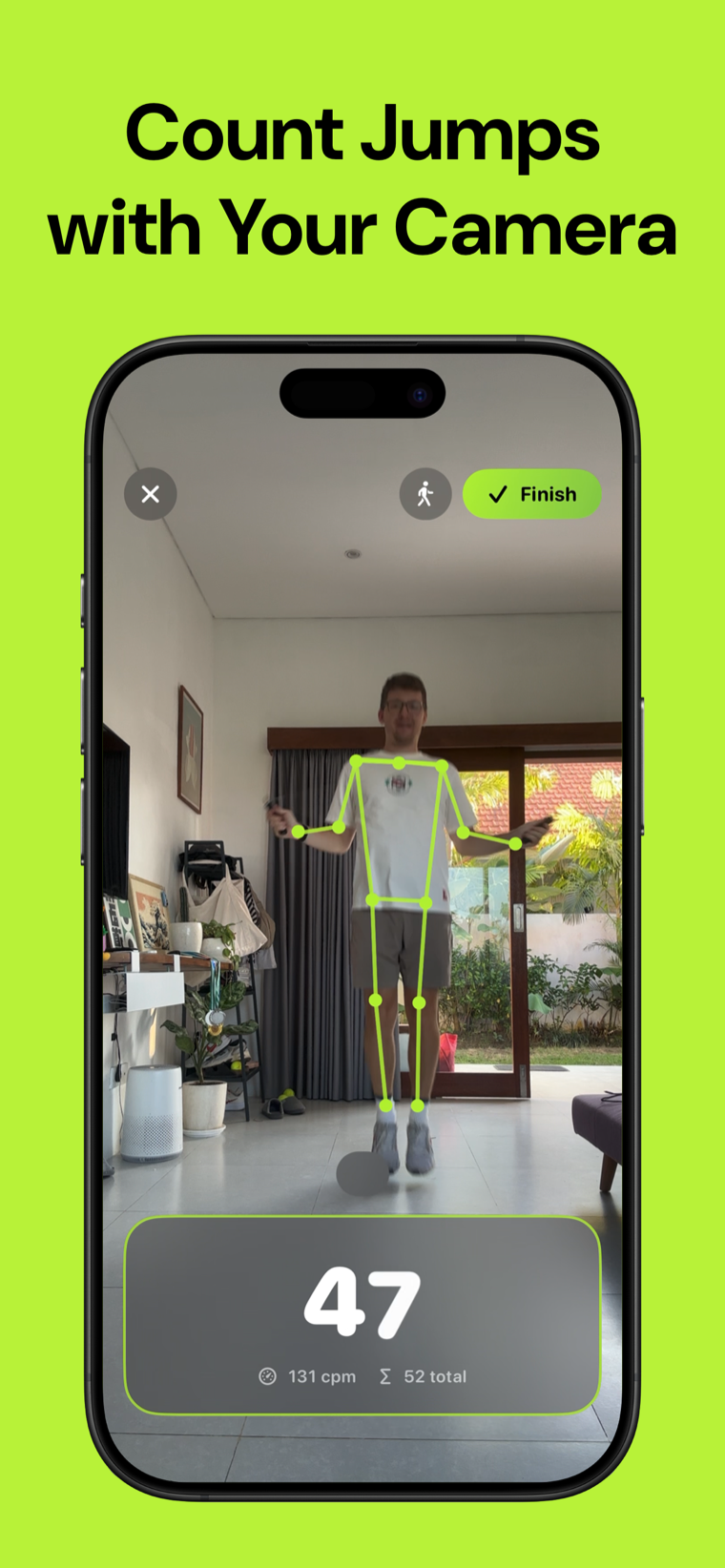
The front camera tracks your body and counts every rep in real time. Your hands stay on the rope — no tapping, no sensors, no wearables.
-
See it working
A live skeleton overlay shows exactly what the camera is tracking, so you can trust the count instead of second-guessing it.
-
Sets that group themselves
Stop to catch your breath and the app closes the set automatically. Start again and it opens a new one — no buttons mid-workout.
-
Live tempo and totals
Jumps per minute as you go, plus set and session totals, so you can push the pace or hold it steady on purpose.
-
Three ways to train
Just Jump for an open session, Timed for a 3–20 minute block, or Daily Goal to chase a number. Pick the one that fits the day.
-
Nothing leaves your device
All processing happens on device. No video is ever recorded or uploaded, no accounts, no ads.
Screenshots
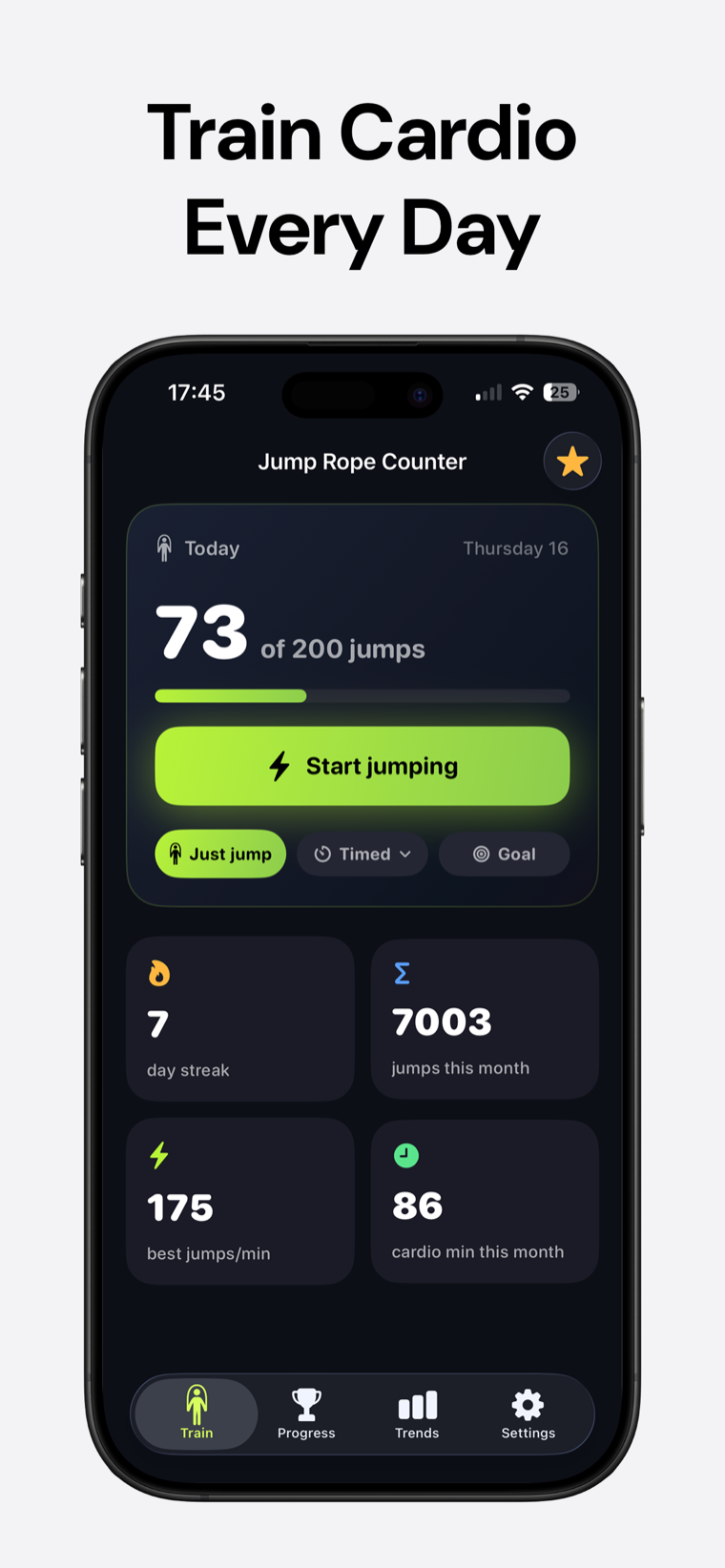
Set a daily target and watch the ring close. Your day streak keeps the habit visible — 200 jumps a day is 6,000 a month.
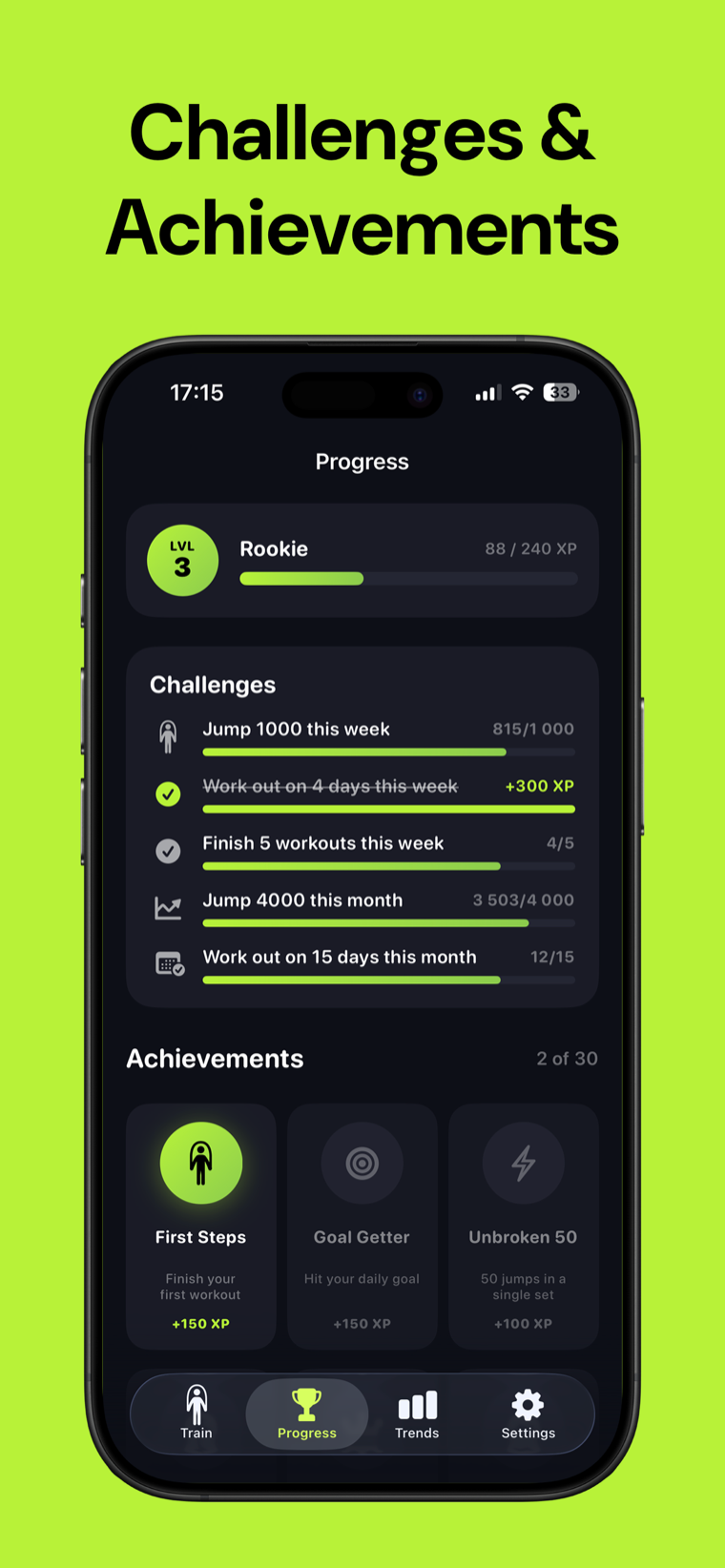
30 achievements plus XP, levels and rank titles, with weekly and monthly challenges sized to your own goal.
How it works
-
Prop up your phone
Stand it somewhere the front camera can see you, then step back far enough to fit in frame.
-
Start jumping
The camera picks up your body and counts each rep live, with tempo and set totals on screen as you go.
-
Finish and review
Your sets, session total and tempo are saved, your daily ring fills, and your streak carries into tomorrow.
FAQ
Frequently asked questions
How does Jump Rope Counter count my jumps?
It uses the iPhone front camera to track your body and detect each jump in real time. A live skeleton overlay shows what it's tracking, so you can see the counting work.
Do I need a smart rope or a wearable?
No. There are no sensors, no smart rope and no watch required — just your iPhone or iPad and its front camera. Any rope works.
Is Jump Rope Counter free?
The app is free to download and comes with a 7-day free trial of Pro. Using it after the trial requires a purchase — weekly, yearly, or a one-time lifetime option.
Is my video recorded or uploaded?
No. All body tracking happens on your device in real time. No video is ever recorded, saved or uploaded anywhere, and there are no accounts.
How do sets work?
They form on their own. When you stop jumping to rest, the app closes the current set; when you start again it opens a new one. You never have to press anything mid-workout.
Where should I put my phone?
Prop it up so the front camera has a clear view of your whole body, then step back until you fit in frame. Good lighting helps the tracking stay accurate.
What workout modes are there?
Three: Just Jump for an open-ended session, Timed for a fixed 3–20 minute block, and Daily Goal to work toward your target for the day.
Does it track my tempo?
Yes. It shows live jumps per minute while you train, alongside your set and session totals, so you can hold or push the pace deliberately.
Can I set a daily goal?
Yes. Pick a daily target and the app shows a progress ring plus a day streak, with weekly and monthly challenges scaled to the goal you chose.
Does it work on iPad?
Yes. It runs on iPhone and iPad — anything with a front camera you can prop up and jump in front of.
Do I need an internet connection?
No. Counting runs entirely on device, so it works offline. There's no account to create and no data collection.
How much jumping actually adds up?
A few minutes a day goes further than most people expect — 200 jumps a day works out to about 6,000 a month. The daily goal and streak are there to keep those minutes consistent.
Put the phone down and jump.
Download Jump Rope Counter and let the camera keep count while you train.
Free Jump Rope Counter tools
- Calories Burned CalculatorChoose an activity, enter its intensity, your duration and body weight, then get an estimate of calories burned per minute and total.
- Cardio Weekly PlannerPlan how much cardio per week with a simple schedule of minutes by intensity, a guideline comparison and a printable week view.
- Cycling Calories CalculatorEstimate calories burned cycling from your duration or distance, average speed, terrain and body weight. See calories per hour, per mile or km, and the MET used.
- Jogging Calories CalculatorEstimate calories burned while jogging from your body weight and either pace plus duration or distance plus time. See calories per mile, per km and the MET band used.
- Jump Rope Calories CalculatorEnter your body weight, session duration and jump rope pace to estimate total calories, calories per minute and the equivalent running time at 8 km/h.
- Jump Rope Challenge GeneratorCreate a deterministic jump rope challenge from your length, starting target and weekly progression percentage.
- Jump Rope Length by Height CalculatorEnter your height and jump-rope style or skill level to get a recommended rope length and a practical acceptable range.
- Jump Rope Workout for Beginners PlannerChoose your current level, available minutes and preferred work-to-rest ratio to build a progressive beginner jump-rope session.
- Jump Rope Workout Routine BuilderCreate a structured jump-rope routine with exercise blocks, work times, rest times and total interval targets.
- Jumping Jacks Calorie CalculatorEstimate how many calories burned doing 100 jumping jacks, or calculate a different rep count or duration using your weight, pace and intensity.
- Push Ups Calorie CalculatorEstimate calories burned, calories per rep, time taken and the reps needed to reach a calorie target.
- Steps to Calories CalculatorEstimate how many calories burned in 10000 steps, the distance those steps cover and the walking time at your chosen pace.
- Treadmill Calories CalculatorEstimate treadmill calories burned from speed, incline, duration, body weight and whether you are walking or running.
- Walking Calories CalculatorEstimate calories burned, calories per mile and kilometer, time taken and steps from your walking pace, incline, body weight and distance or duration.
- Zone 2 Heart Rate CalculatorCompare two methods for estimating your zone 2 heart rate range, then see the complete five-zone table. Enter a measured maximum heart rate when you have one.
From the blog
All articles →- Jumping rope indoors: surface, ceiling height, and noiseJumping rope indoors comes down to surface, ceiling clearance, and noise. Rank floors from wood to carpet, size your headroom, and keep the neighbors happy.
- Jump rope for vertical jump: what it trains and what it won'tJump rope for vertical jump builds ankle stiffness and reactive speed, not max height. Here's the mechanism, the drills that transfer, and how to program them.
- Is jumping rope bad for your knees? Compare the impactIs jumping rope bad for your knees? Usually not — a low bounce lands softer than running. What really causes rope knee pain, and how to ramp volume safely.